# Banner

Die **ThemeWare® Banner-Blöcke** selber haben keine spezielle Funktion. Du musst diese aber nutzen um die entsprechenden CMS-Elemente in deiner Erlebniswelt zu platzieren.

{% hint style="info" %}
**Hinweis**: Mehr zu den ThemeWare® Banner-Elementen findest du hier: [Banner](/zusatzfunktionen/cms-erweiterungen/cms-elemente/banner.md)
{% endhint %}

***

## Verfügbare Banner-Blöcke

* Image-Banner
* Parallax-Banner
* Hero-Banner
* Advanced-Banner

{% hint style="info" %}
**Hinweis**: Diese Blöcke sind nur in der ThemeWare® Pro Edition verfügbar.
{% endhint %}

***

## Banner-Block hinzufügen

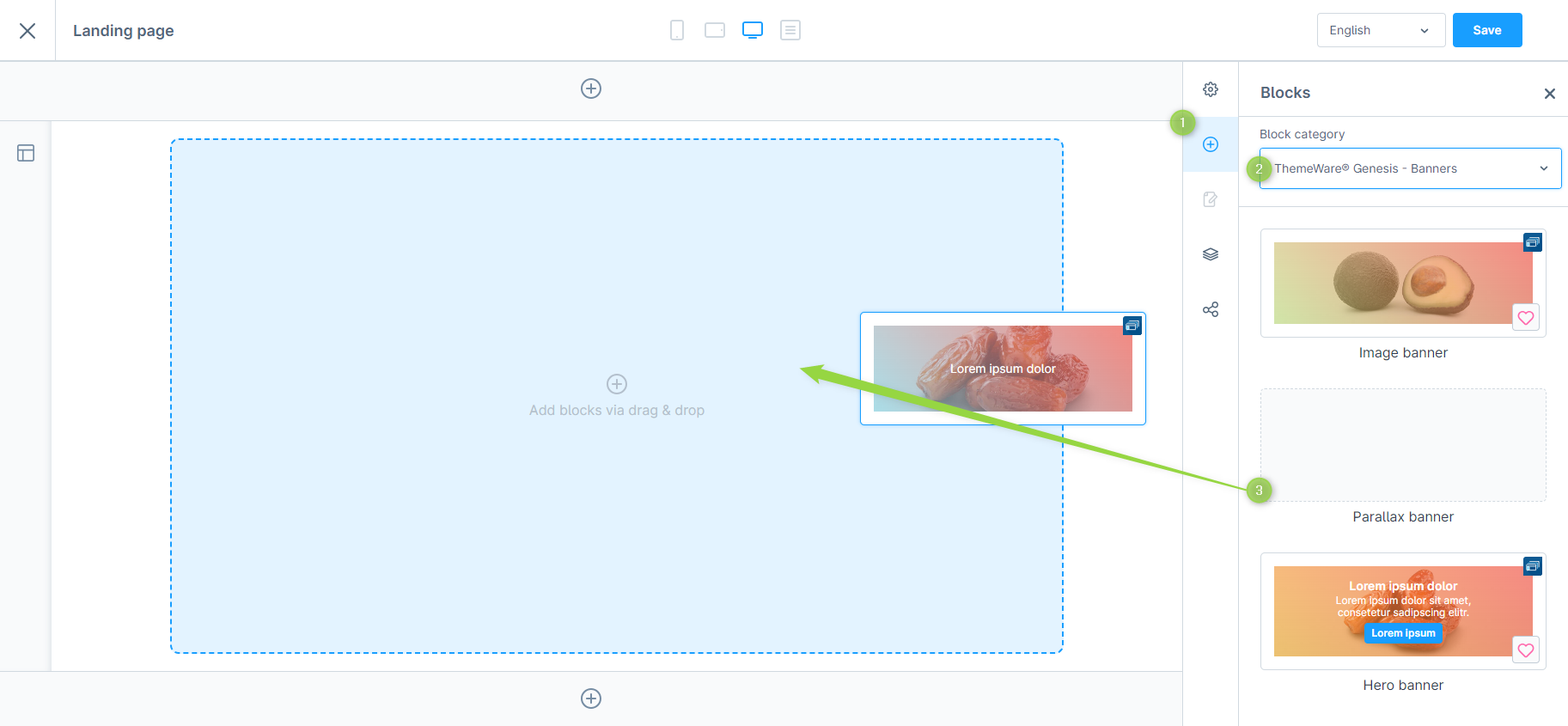
Wähle einen CMS-Block aus und ziehe diesen einfach per Drag’n’Drop in deine Erlebniswelt.

> **Hinweis**: Banner-Blöcke findest du in der Rubrik "ThemeWare® Banner" \[Pro]

<figure><img src="/files/rOiSEqrPWWVkolopiSJT" alt=""><figcaption><p>Banner CMS-Block hinzufügen</p></figcaption></figure>


---

# Agent Instructions: Querying This Documentation

If you need additional information that is not directly available in this page, you can query the documentation dynamically by asking a question.

Perform an HTTP GET request on the current page URL with the `ask` query parameter:

```
GET https://doku.themeware.design/zusatzfunktionen/cms-erweiterungen/cms-bloecke/banner.md?ask=<question>
```

The question should be specific, self-contained, and written in natural language.
The response will contain a direct answer to the question and relevant excerpts and sources from the documentation.

Use this mechanism when the answer is not explicitly present in the current page, you need clarification or additional context, or you want to retrieve related documentation sections.