> For the complete documentation index, see [llms.txt](https://doku.themeware.design/llms.txt). Markdown versions of documentation pages are available by appending `.md` to page URLs; this page is available as [Markdown](https://doku.themeware.design/zusatzfunktionen/zusatzfelder/produkte/downloads.md).

# Downloads

Mit den "Downloads"-Zusatzfeldern hinterlegst du bis zu drei Downloads – jeweils mit Datei, Titel und Beschreibung –, die auf der Produktseite über die ThemeWare®-Erweiterung "Produkt-Downloads" unter der Beschreibung als Download-Links angezeigt werden.

## Zusatzfelder

Du findest die "Downloads"-Zusatzfelder im jeweiligen Produkt:

> Tab "Spezifikationen" ⇒ Bereich "Zusatzfelder" ⇒ Tab (Set) "Downloads (... Pro)"
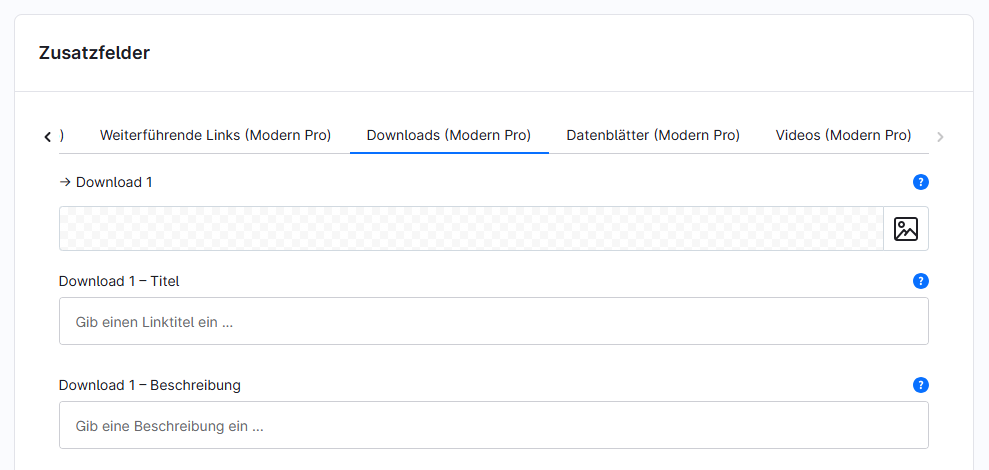
<figure><img src="https://2276716575-files.gitbook.io/~/files/v0/b/gitbook-x-prod.appspot.com/o/spaces%2FHZ42X804kUeKKTtIEUr2%2Fuploads%2FHabyUUGo6cBCtsTjA3ma%2Ftwt-custom-fields-product-tabs-downloads-de.png?alt=media&amp;token=73c1a004-eb34-47c2-981f-c7c15a3dd0c1" alt=""><figcaption></figcaption></figure>

Die einzelnen Zusatzfelder:

* [Download 1-3](/zusatzfunktionen/zusatzfelder/produkte/downloads/download-1.md)
* [Download 1-3 – Titel](/zusatzfunktionen/zusatzfelder/produkte/downloads/download-1-titel.md)
* [Download 1-3 – Beschreibung](/zusatzfunktionen/zusatzfelder/produkte/downloads/download-1-beschreibung.md)

***

## Weiterführende Informationen

{% content-ref url="/pages/22Im3b4ar9uRkjjOeFib" %}
[Produkt-Downloads](/zusatzfunktionen/erweiterungen/produkt-downloads.md)
{% endcontent-ref %}
